#webapp

#web

#Figma

TSUB

TSUB

TSUB is a software for making subtitles owned by Tujju Media. This software is used by internal freelance translators of the company.

TSUB is a software for making subtitles owned by Tujju Media. This software is used by internal freelance translators of the company.

Country

Indonesia

Year

2021

My Role

Designer

Country

Indonesia

Year

2021

My Role

Designer

Background & Context

Before TSUB, Tujju Media relied on external subtitling tools. While functional, these tools often slowed the workflow. Aligning subtitles with audio was time-consuming, small formatting errors were easy to miss, and moving between applications interrupted focus. Tujju Media needed a platform that addressed these issues and fit seamlessly into daily translation tasks.

Users

1

Freelance translators

Create and edit subtitles

1

Freelance translators

Create and edit subtitles

2

Reviewers

Check accuracy and consistency

2

Reviewers

Check accuracy and consistency

Goals

1

Shorten the turnaround time for subtitle projects

1

Shorten the turnaround time for subtitle projects

2

Reduce errors with built-in quality control

2

Reduce errors with built-in quality control

3

Provide translators with an efficient, user-friendly interface

3

Provide translators with an efficient, user-friendly interface

4

Decrease reliance on external software

4

Decrease reliance on external software

Research & Discovery

Discussions with freelance translators revealed several recurring issues:

1

Difficulty matching subtitle timing with audio

1

Difficulty matching subtitle timing with audio

2

Frequent manual corrections for minor errors

2

Frequent manual corrections for minor errors

3

Inefficient workflows caused by switching tools

3

Inefficient workflows caused by switching tools

The feedback highlighted the need for a single platform that combined translation, synchronization, and error checking.

4

The feedback highlighted the need for a single platform that combined translation, synchronization, and error checking.

Problem Statement

The challenge was to create a focused subtitling tool that reduced time spent on manual corrections, simplified audio synchronization, and allowed translators to manage their tasks in one place.

Design Process

The design went through several stages to ensure the software fit the needs of translators and reviewers:

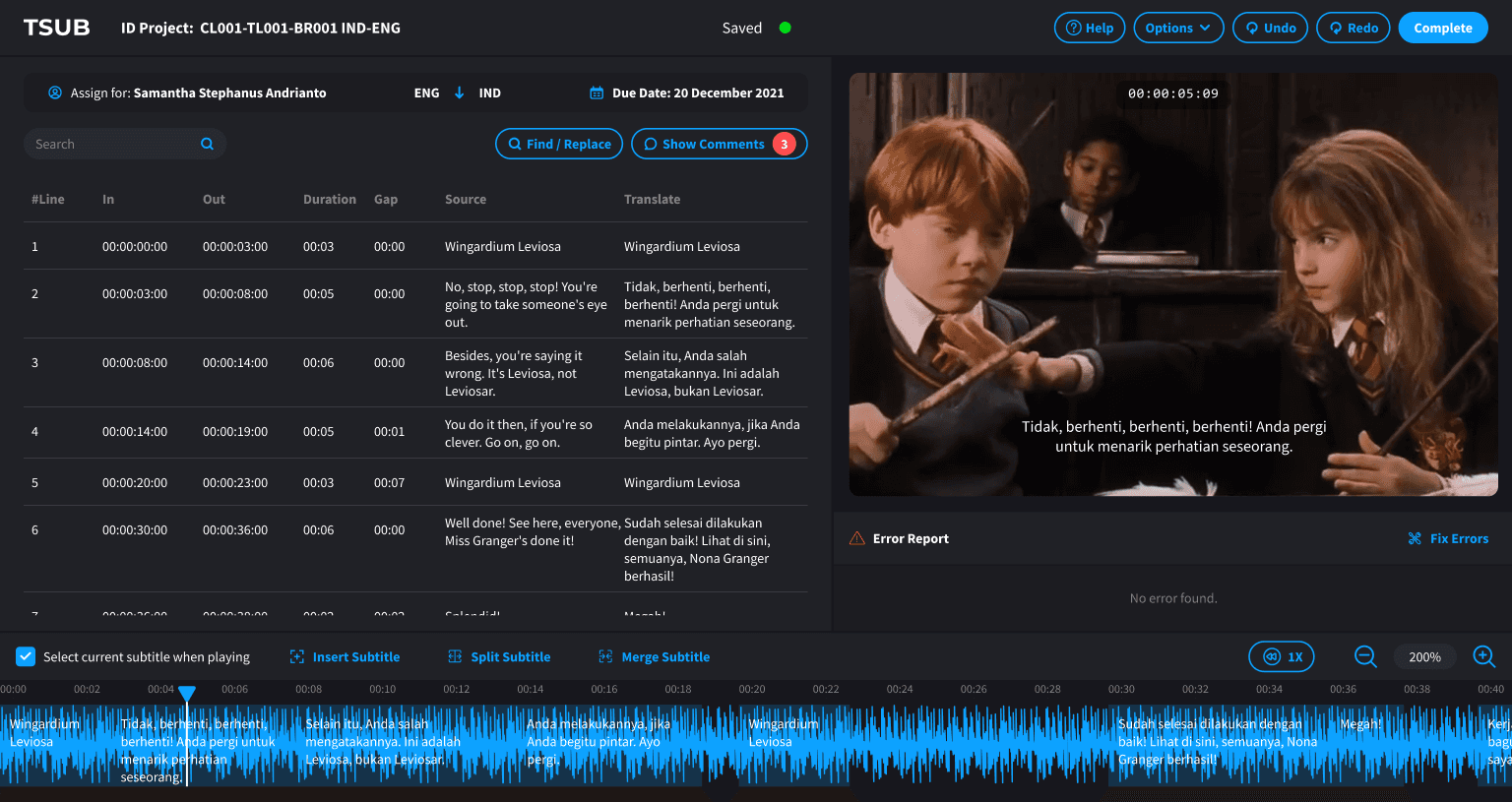
Defining the Workspace Layout

• Created a split screen with subtitles on the left and video preview on the right. • Ensures translators can see both text and visual context at once.

Defining the Workspace Layout

• Created a split screen with subtitles on the left and video preview on the right. • Ensures translators can see both text and visual context at once.

Workspace layout

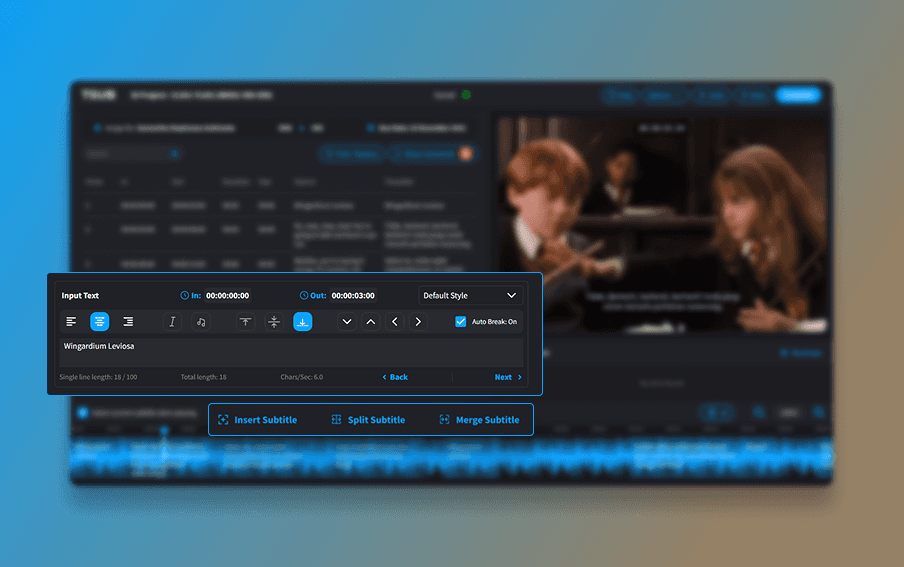
Building Editing Capabilities

• Added an input text editor with essential formatting tools. • Included insert, split, and merge functions to handle different subtitle needs.

Building Editing Capabilities

• Added an input text editor with essential formatting tools. • Included insert, split, and merge functions to handle different subtitle needs.

Input text, formatting, and subtitle tools
Building Error Detector

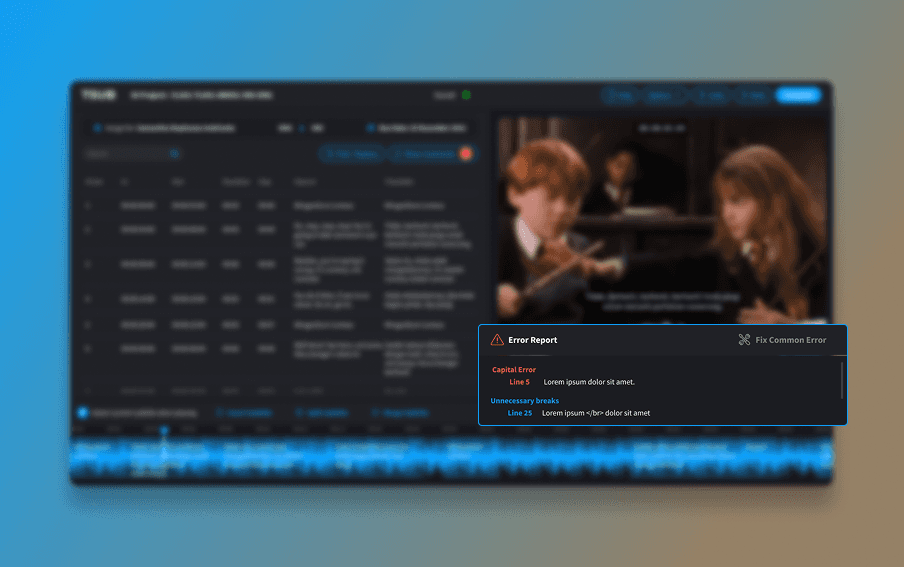
• Developed an error report panel to flag capitalization and line break issues. • Provided one-click fixes to reduce manual corrections.

Building Error Detector

• Developed an error report panel to flag capitalization and line break issues. • Provided one-click fixes to reduce manual corrections.

Error detection and quick fix

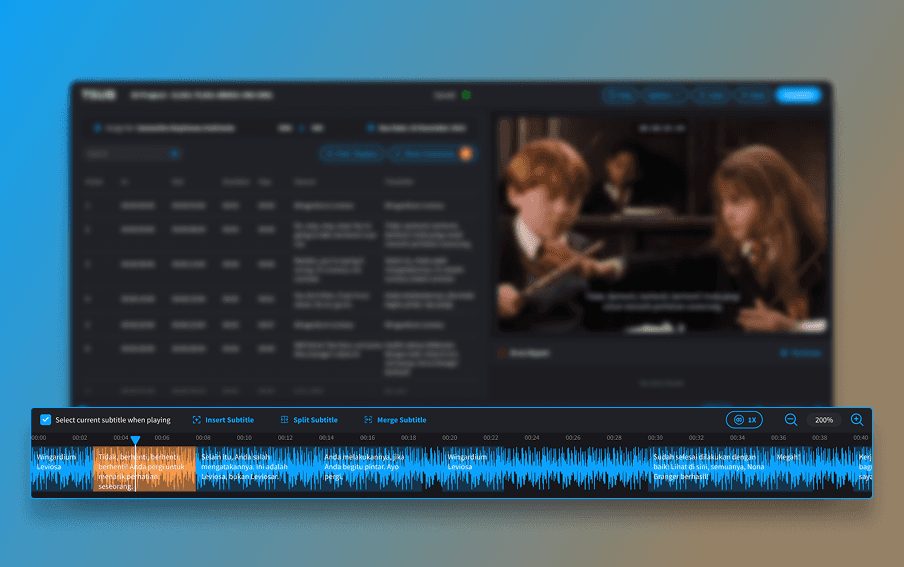
Designing Synchronization Features

A waveform timeline at the bottom allows precise alignment of subtitles with audio.

Designing Synchronization Features

A waveform timeline at the bottom allows precise alignment of subtitles with audio.

Synchronization of subtitle and audio
Setting Up Project Visibility

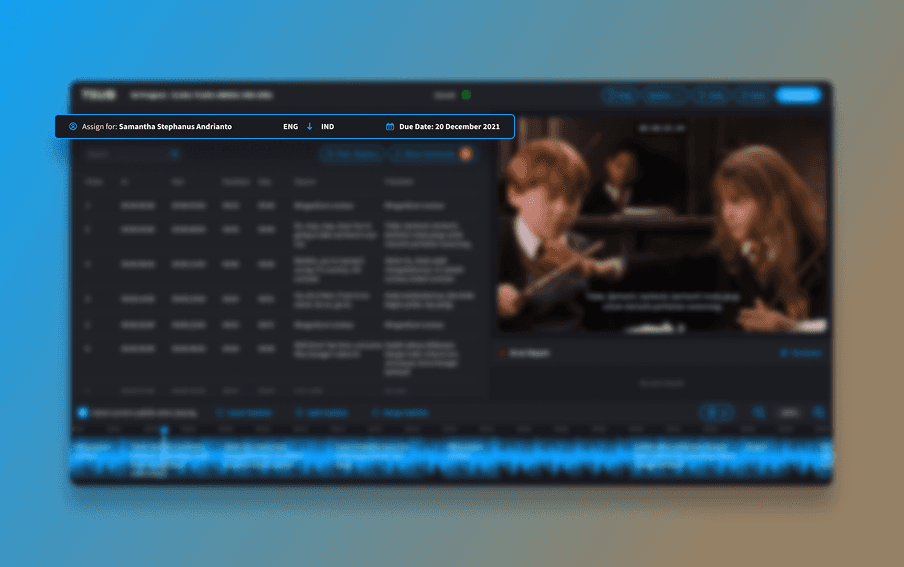
• Placed assignment details (translator name, due date, project ID) in the top bar. • Supported clearer accountability for both translators and managers

Setting Up Project Visibility

• Placed assignment details (translator name, due date, project ID) in the top bar. • Supported clearer accountability for both translators and managers

Project details visibility

Testing & Iteration

Testing was carried out with translators, and reviewers to refine the workflow:
User Testing Findings:

Reviewers tested the platform on real projects and noted the need for direct feedback to translators. Without an in-tool feedback system, reviewers had to rely on email or chat, which slowed revisions.

User Testing Findings:

Reviewers tested the platform on real projects and noted the need for direct feedback to translators. Without an in-tool feedback system, reviewers had to rely on email or chat, which slowed revisions.

Adjustments:

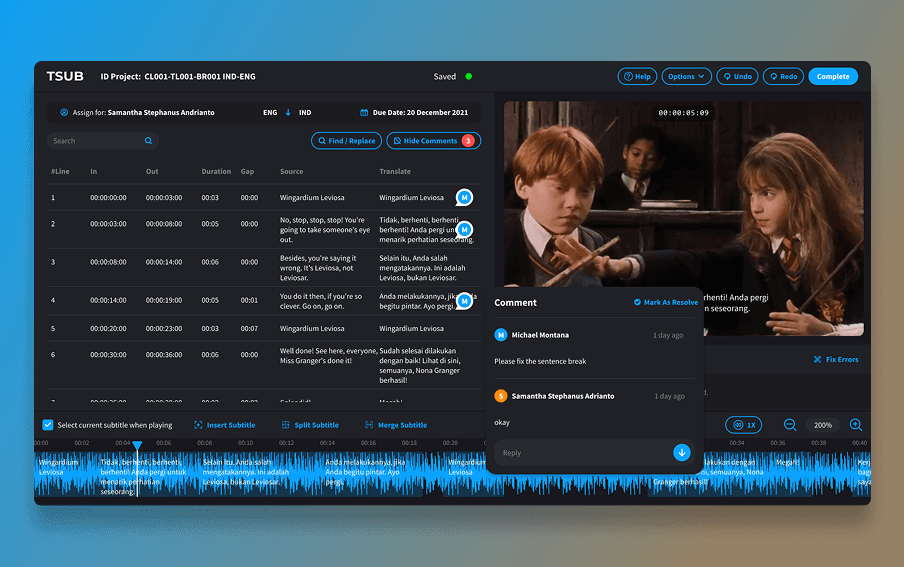
A Comments feature was added, allowing reviewers to leave notes on specific subtitle lines. Translators could see reviewer comments and reply them directly in the platform, making revisions faster and reducing miscommunication.

Adjustments:

A Comments feature was added, allowing reviewers to leave notes on specific subtitle lines. Translators could see reviewer comments and reply them directly in the platform, making revisions faster and reducing miscommunication.

Comments Feature

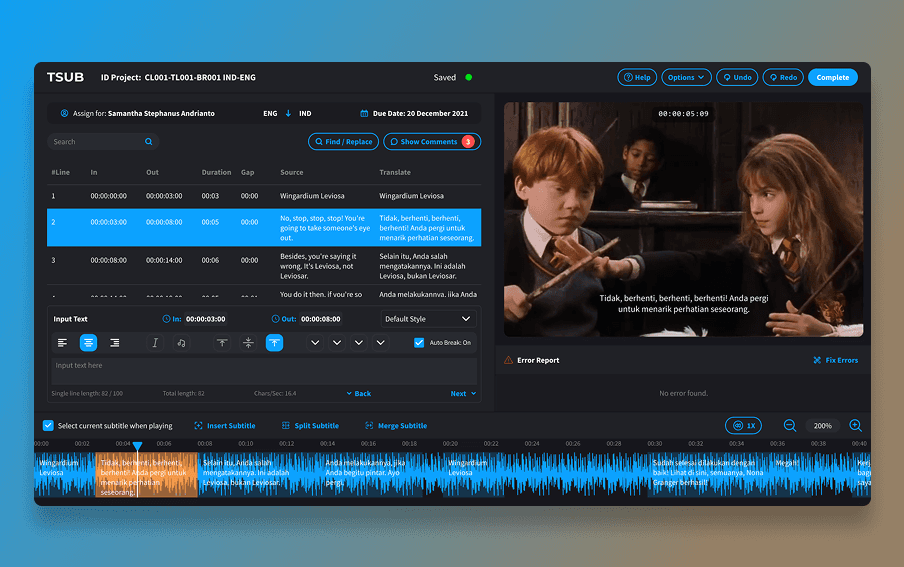
Final Design

All Panels View
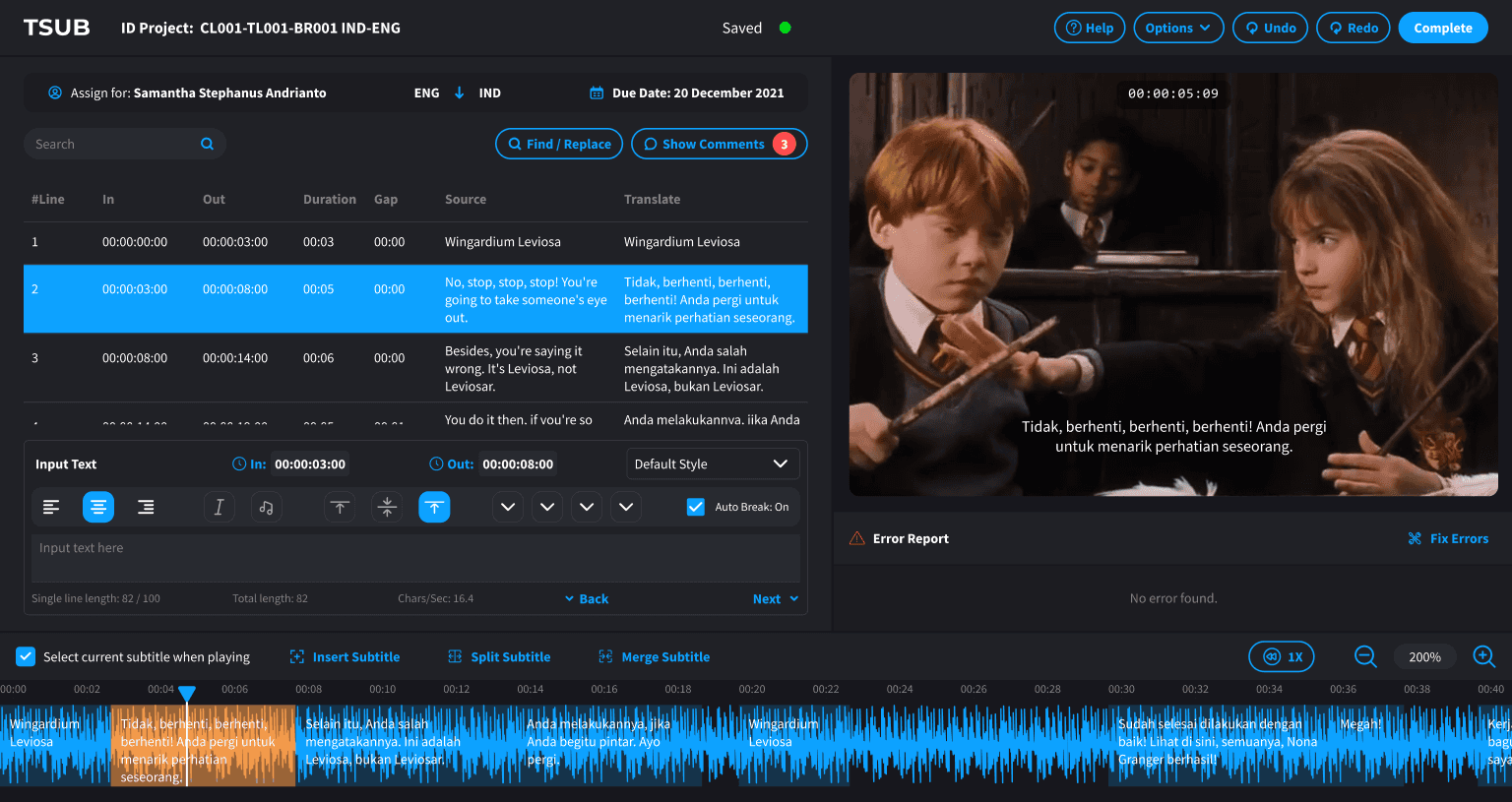
Selected subtitle and audiowave
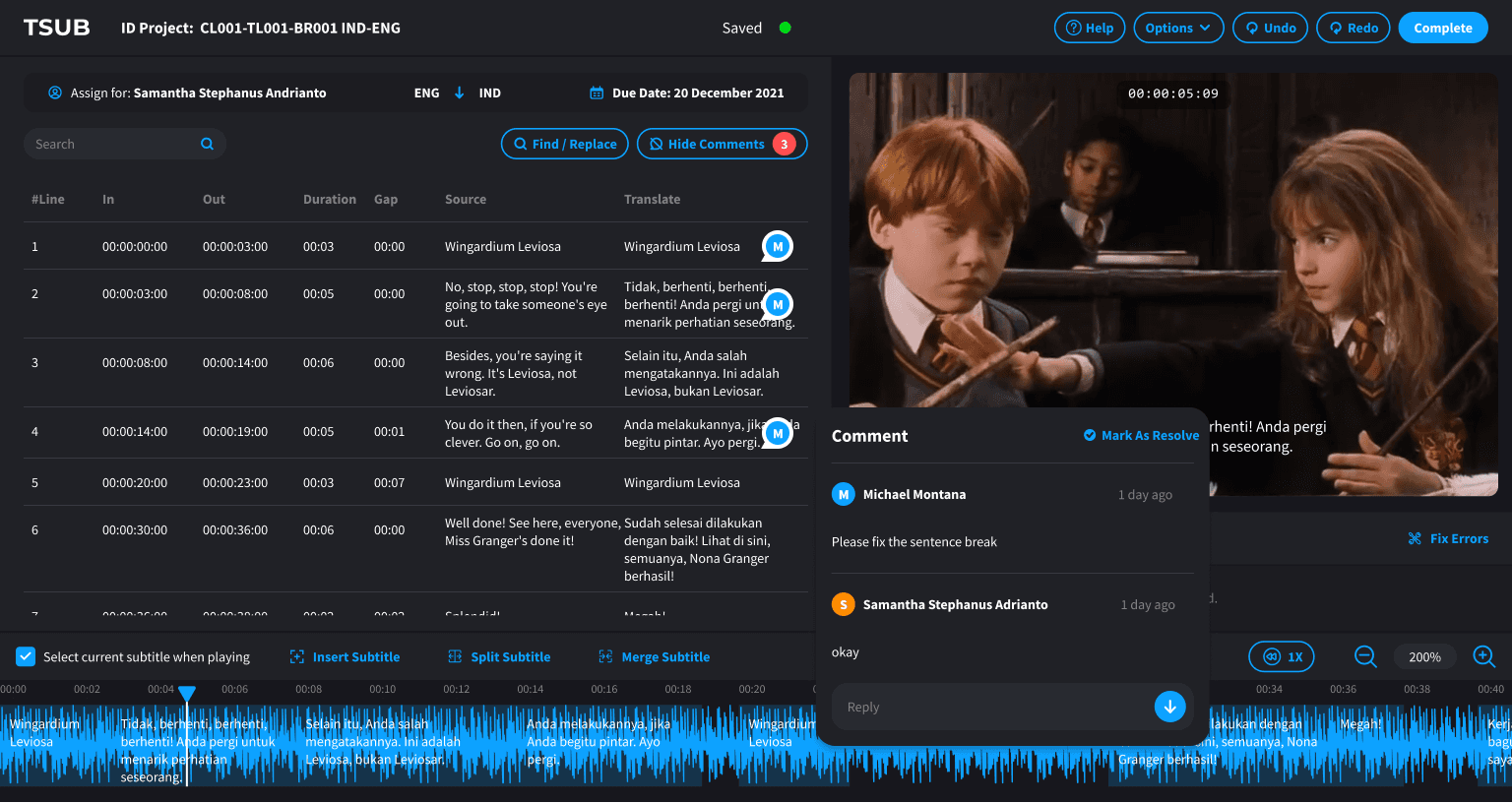
Comments feature

Impact & Outcomes

1

Translators completed projects about 25% faster on average

1

Translators completed projects about 25% faster on average

2

Automated checks reduced the number of formatting errors

2

Automated checks reduced the number of formatting errors

3

Freelancers reported greater ease of use compared to previous tools

3

Freelancers reported greater ease of use compared to previous tools

4

Tujju Media increased its capacity to handle more subtitle projects without raising costs

4

Tujju Media increased its capacity to handle more subtitle projects without raising costs

TSUB provided a practical, reliable solution that improved both the quality and efficiency of subtitle production within Tujju Media.

TSUB provided a practical, reliable solution that improved both the quality and efficiency of subtitle production within Tujju Media.

Tools

Figma

Made by Reza Tresna Suhendar · ©2026

Made by Reza Tresna Suhendar · ©2026

Create a free website with Framer, the website builder loved by startups, designers and agencies.